Main Functions
ToVideo offers a suite of AI video generation and editing tools, with core functionalities including:
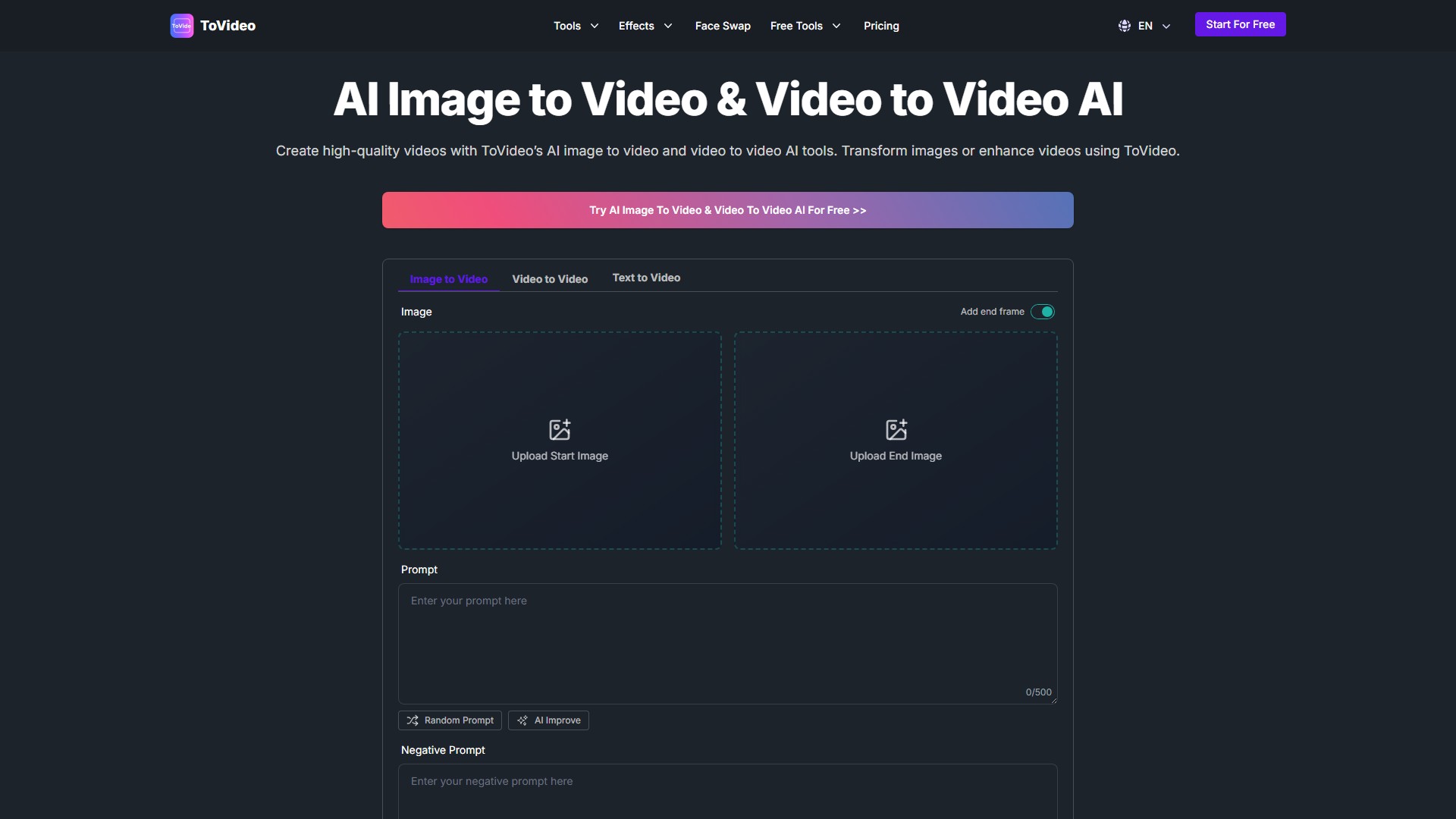
- Image to Video: Converts static photos into dynamic, eye-catching videos with smooth transitions and cinematic effects.
- Video to Video: Enhances existing footage by adding AI effects, changing styles, adjusting length, or upgrading quality.
- Text to Video: Input a script, and the AI generates a fully animated video with scenes, backgrounds, and dynamic visuals.
- Face Swap: Seamlessly swaps faces in both images and videos to create personalized content.
- Lip Sync Video: Automatically aligns lip movements with any audio—be it speech, singing, or voiceovers.
- Consistent Character Video: Ensures uniform character appearance, style, and expressions across multiple scenes and projects.
- Character Animation Video: Transforms static images into animated character videos by animating facial expressions, gestures, and scenes.
- Effects: Offers special effect generation tools like AI Kungfu Video.
Key Features
- High-Quality Output: Produces professional-grade video content.
- Ease of Use: No video editing experience required; features an intuitive interface and simple operation.
- Highly Customizable: Users can choose styles, transitions, effects, music, and use prompts to guide the AI generation.
- Free Tools: Provides free tools like the Wan2.1 Video Generator and MatAnyone Video Matting.
- Commercial Use: Generated videos can be used for commercial purposes, such as advertising, marketing, and branded content.
How to Use
- Upload Image or Video: Select the start image, end image, or existing video clip you want to transform.
- Customize & Enhance: Enter a prompt describing the desired video effect, choose styles, transitions, music, and use negative prompts to exclude unwanted elements.
- Generate & Download: Click the generate button, and the AI will process the content. Once complete, you can download the high-quality final video.
Target Users and Use Cases
- Social Media Content Creation: Produce engaging animated content for platforms like Instagram, TikTok, and YouTube.
- Product Promotion: Transform product images into dynamic video ads to attract customers.
- Personalized Greetings or Messages: Create fun, personalized video messages for birthdays, anniversaries, and other special occasions.
- Educational and Training Materials: Convert text and images into dynamic lessons to improve learning engagement.
- Brand Storytelling: Transform brand visuals or text into dynamic content to tell your brand's story.
- Music Videos: Use lip-sync and video effects to create dynamic music videos that match the music.
Frequently Asked Questions (FAQ)
- What is AI Image to Video & Video to Video AI?
ToVideo uses AI to transform static photos into dynamic videos or enhance existing video clips, simplifying the professional video creation process.
- What are the main features?
They include Image to Video, Video to Video, Text to Video, Face Swap, Lip Sync, and Consistent Character Video.
- Do I need experience to use it?
No. The platform is designed for both beginners and professionals, with the AI automatically handling complex editing tasks.
- Can the videos be used for commercial purposes?
Yes, content created with ToVideo can be used for commercial purposes like marketing, advertising, and brand storytelling.
- Can I customize the generated videos?
Yes, users can customize animation styles, transitions, effects, text, music, and more to match their personal or brand vision.
- What video styles can I create?
You can create animated character videos, lip-sync videos, face-swap videos, promotional ads, educational tutorials, music videos, and more.
- Collection Time:2025-09-16
-
Pricing Mode:
Free
Freemium
#Video generator
#Video editing
#Text To Video
#Personalized videos
Free
Freemium
Website